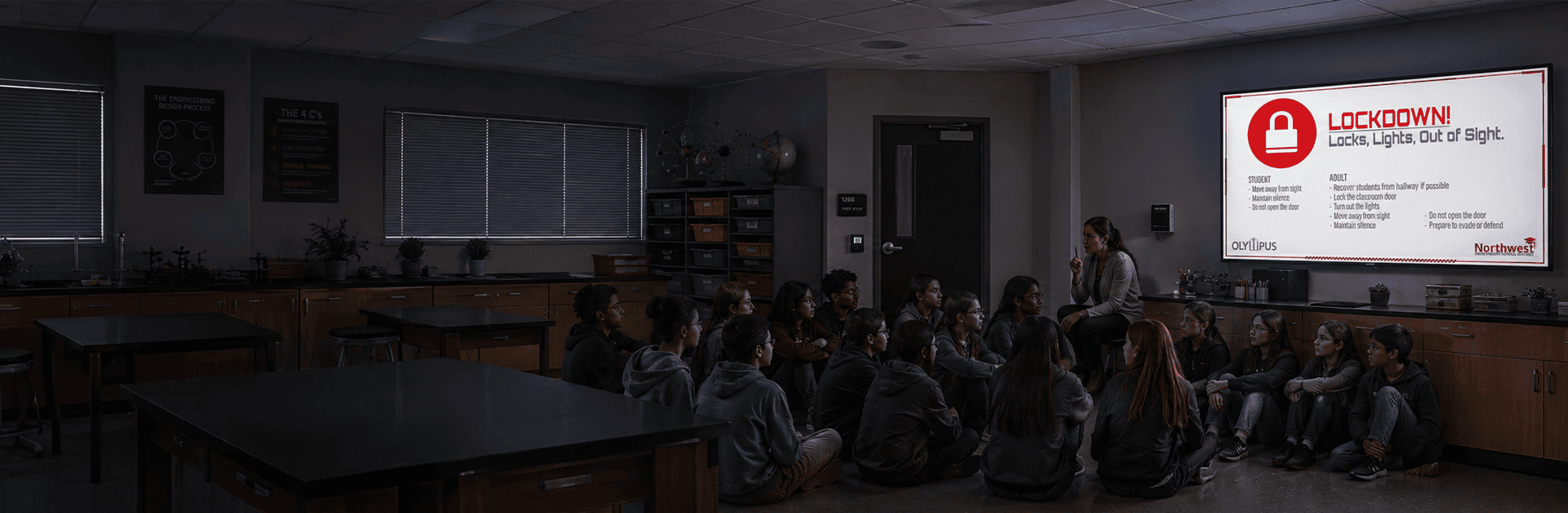
School emergency response rarely depends on one action or one system.
An alert may need to reach administrators. Staff may need to determine where an incident is occurring. Communications may need to begin. Building systems may need to respond. First responders may need timely information.
School safety automation helps connect those steps through predefined workflows. Instead of requiring personnel to manage every action independently across multiple platforms, automation can connect a recognized event with the communications and system actions already approved by district leaders.
The objective is not to automate emergency decision-making. It is to help schools execute established procedures more consistently while getting greater value from technologies they already use.
For districts evaluating a broader campus strategy, Netsync’s K-12 and Higher Education solutions provide a framework for connecting technology decisions with educational and operational priorities.
What Is School Safety Automation?
School safety automation is the use of predefined workflows that connect an event or alert with one or more predetermined response actions.
A district might establish a workflow in which an emergency alert identifies a location, notifies designated personnel and initiates approved communication channels.
The technology does not determine the district’s emergency policy. Instead, it helps execute steps that authorized leaders have already defined.
That distinction is important. Effective automation should support people, policies and procedures rather than attempt to replace them.
Why Do Manual School Emergency Workflows Create Challenges?
Most school districts already operate several safety and communications technologies. These may include cameras, phone systems, access control, emergency notification tools, mobile applications and other connected platforms.
When those systems operate independently, personnel may have to move between interfaces, enter the same information more than once or remember which platform should be activated next.
That creates an orchestration problem.
A district may have strong individual technologies but still lack a unified process for coordinating them during an incident. Connecting those technologies through clearly defined workflows can make the overall response model easier to manage.
Netsync’s Physical Security solutions can support a broader strategy for integrating security technologies with operational requirements.
How Do Event-Driven Emergency Workflows Work?
An automated emergency workflow begins with a trigger.
Depending on a district’s environment, the trigger could come from a panic button, IP phone emergency button, wearable device, mobile application, sensor or video analytics platform.
Once the event is recognized, the workflow can initiate predetermined actions associated with that event. Those actions might include:
- identifying or sharing location information;
- notifying administrators or designated safety personnel;
- activating appropriate communication channels;
- engaging relevant building systems; or
- alerting first responders when district procedures require it.
One trigger can therefore initiate several coordinated actions that otherwise might have required separate manual steps.
The key is that the response logic is established in advance. Automation executes the workflow; authorized personnel continue to assess the incident and make decisions.
Why Does Context Matter as Much as Automation?
Automation should not simply create more alerts.
Administrators and safety teams also need useful context to understand what is happening. Location information, incident details and real-time visibility can help the appropriate personnel interpret an alert and apply district procedures.
That is where automation and situational awareness work together.
Automation can initiate predetermined actions, while situational awareness helps people understand the event as it develops. Netsync explores this relationship further in School Situational Awareness: Improving Campus Visibility.
For school technology leaders, the goal should be actionable information—not simply a larger volume of notifications.
How Should Districts Design School Safety Automation?
Districts should begin with policy and process, not technology.
Before building an automated workflow, leaders should define responsibilities, escalation paths, notification requirements, approval points and communication protocols.
Technology can then be configured around that operating model.
This policy-first approach helps prevent districts from automating a process simply because a platform makes it technically possible. Each automated action should have a clear operational purpose.
Districts should also review workflows as facilities, personnel, emergency plans and technologies change. An automated process is only useful when it continues to reflect the way the district actually operates.
How Does Olympus Support School Safety Automation?
Netsync’s Olympus platform is designed to connect event inputs with customized response outputs through centralized command, control and visibility.
For schools, Olympus can work with triggered inputs such as panic buttons, IP phone emergency buttons, wearables, mobile emergency applications and video analytics.
Those inputs can then connect with predefined outputs such as door management, first responder alerts, speaker announcements, messaging, text and email notifications, and collaboration channels.
Olympus can also integrate with existing access control, camera, phone, networking and wireless location technologies, allowing districts to build a coordinated response environment around existing investments rather than treating each system as an isolated tool.
That orchestration model helps schools move from individual alerts toward connected workflows.
From Individual Alerts to Coordinated School Emergency Response
The value of school safety automation is not the number of tasks a district can automate.
The more important measure is whether the technologies involved in an emergency can work together according to established policies.
By connecting event triggers with predetermined communications, notifications and system actions, districts can reduce unnecessary manual coordination and build a more consistent operating model.
That shifts the technology conversation from “Which safety tools do we have?” to a more useful question:
“How well do our safety technologies work together when our teams need them?”
A coordinated approach allows schools to make better use of existing systems while keeping judgment, policy and emergency decision-making with the people responsible for protecting their campuses.
Frequently Asked Questions
What is school safety automation?
School safety automation uses predefined workflows to connect event triggers with approved notifications, communications or system actions according to established district procedures.
How can automation improve school emergency response?
Automation can reduce separate manual coordination steps by initiating predetermined actions when a recognized event occurs. This can help administrators, safety teams and other authorized personnel execute established procedures more consistently.
What technologies can school safety automation connect?
Depending on the environment and integration platform, workflows may connect panic buttons, phone systems, cameras, access control, wearables, mobile applications, emergency notifications, messaging platforms and other connected systems.
Does school safety automation replace human decision-making?
No. Automation should execute approved workflows and support established emergency procedures. Authorized personnel remain responsible for assessing incidents, applying policy and making response decisions.
How does Olympus support automated school safety workflows?
Olympus connects triggered event inputs with customized response outputs. It can integrate safety, communications and building technologies while supporting centralized command and control, location-based notifications, multi-channel communications and first responder integration.
Simplify the Path From Alert to Action
School safety technology creates greater operational value when alerts, communications and response systems work as part of one coordinated process.
Explore how Netsync can connect existing safety technologies with automated school safety workflows with Olympus.


